
A bug bash and regression testing are not alternatives. A bug bash is a short, time-boxed event where a mixed group explores the same build to find problems nobody anticipated. Regression testing is a repeatable check that existing behavior still works after a change. One looks for surprises. The other protects what you already know. Most teams that ship reliably use both, plus retesting, which confirms a single fix.
This guide explains what each practice verifies, where retesting fits, when to schedule each one, and how to build a regression strategy, plan and checklist that your team will actually keep running.
TL;DR
- A bug bash is exploratory, cross-functional and time-boxed. Regression testing is repeatable and scoped by risk. A bash is additive and does not replace regression testing.
- Retesting confirms that one fixed defect is really fixed. Regression testing checks that the fix and other changes did not break anything else.
- Run a bug bash before a major release or after merging a significant feature, and only when the test environment is stable.
- Build the regression plan around risk, not around rerunning every test. Turn high-impact bash findings into automated regression tests.
- Triage every bash finding the same day, so the event produces fixes and not just a long list.
Table of Contents
- Bug bash vs regression testing at a glance
- What a bug bash is
- What regression testing is
- Regression testing vs retesting
- When to use each
- How to run a bug bash that produces fixes
- Building a regression test strategy
- What a regression test plan should include
- A regression testing checklist
- Best practices that hold up
- Perspective: why we pair them
- Getting extra hands for release quality
- FAQ
- Sources
Bug bash vs regression testing at a glance
| Dimension | Bug bash | Regression testing | Retesting |
|---|---|---|---|
| Question it answers | What problems have we not thought of? | Did this change break something that worked? | Is this specific defect actually fixed? |
| Approach | Exploratory, unscripted, guided by charters | Scripted or automated, repeatable | Rerun the original failing steps |
| Who runs it | Engineers, product, design, support, sometimes outsiders | QA engineers and automation, often in CI | The person who fixed or reported the bug |
| Timing | One-off event before a major release or after a large merge | Every release, often every merge | After each defect fix |
| Scope | A build or feature area | Risk-selected parts of existing behavior | One defect |
| Output | A triaged list of new findings | A pass/fail signal on known behavior | Confirmation or reopen |
The table shows why the two do not compete. They differ in purpose, in who does the work and in what a pass means.
What a bug bash is
A bug bash is a time-boxed, cross-functional event in which people test the same build to find surprises. The value comes from variety. A support lead clicks through a flow differently from the engineer who wrote it, and a designer notices spacing and copy problems that automated checks never flag.
Three habits separate a useful bash from a noisy one.
- Give people charters. Successful bashes use test charters, short assignments that define a mission and a constraint, so participants do not all report the same login bug. Our exploratory testing guide shows how to write charters and which techniques suit them.
- Keep the session short. Attention fades during long unstructured testing. Plan a focused session, not an all-day marathon, and run a second one if you need more coverage.
- Protect the environment. The biggest risk to a bash is instability. When participants lose time to a broken environment, they lose trust in the format, and the results suffer. Smoke-test the build and the test data before anyone joins.
A bash is not a substitute for a test team. It samples many perspectives for a short time. It cannot provide the systematic, repeated coverage that regression testing gives.
What regression testing is
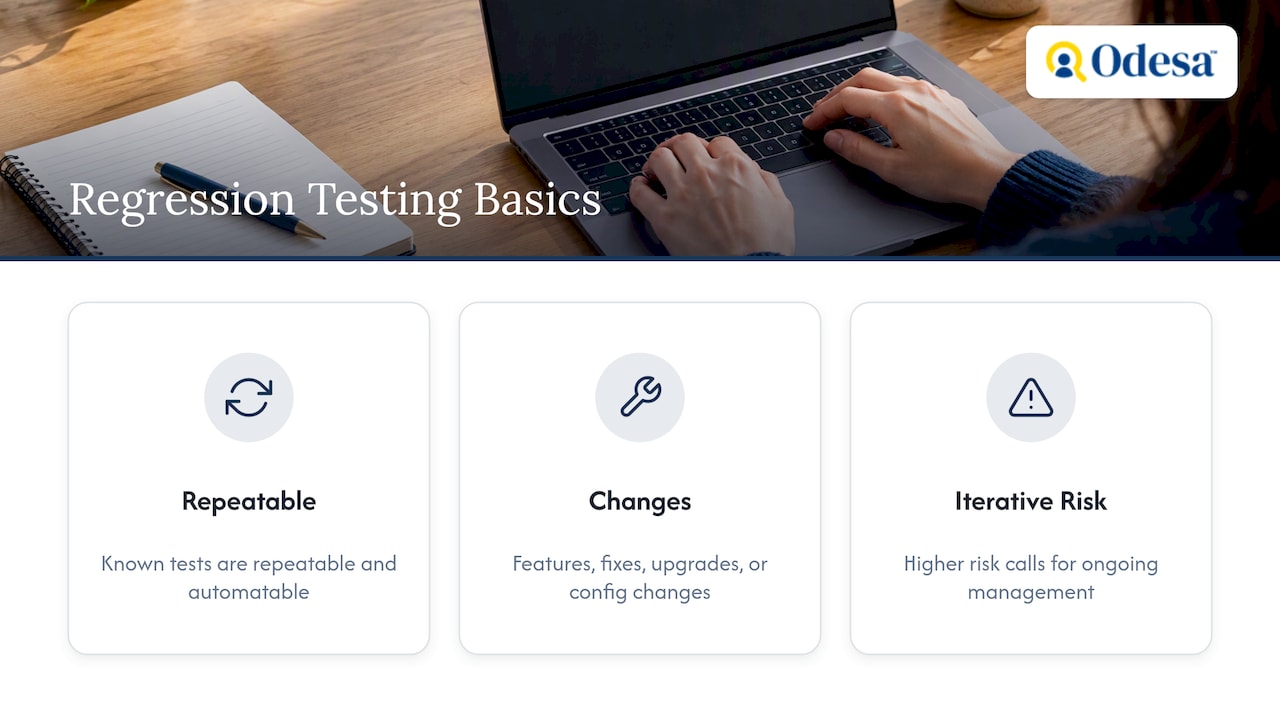
Regression testing re-tests software that has already been tested to assess whether changes have had undesirable effects. The changes can be a feature, a bug fix, a dependency upgrade or a configuration change. The tests are known in advance, which is what makes them repeatable and a good candidate for automation.
The risk is higher than many teams assume in fast-moving codebases. The ISTQB’s test manager syllabus notes that iterative development carries higher regression risk and calls for more acute, ongoing management of that risk than sequential models do. If you ship weekly or daily, regression is a permanent part of the workflow, not a phase.
Regression testing does not mean rerunning everything. One useful framing is that regression work is a decision about what evidence to repeat after a change, not an order to execute every existing test.
Regression testing vs retesting
People search for this pair constantly because the terms sound alike. The difference is scope and intent.
- Retesting is also called confirmation testing by the ISTQB. It is done after a defect is fixed to confirm the original failure no longer occurs.
- Regression testing asks whether the change broke anything else.
Good retesting needs the original reproduction steps, the expected result, and a comparison against both the failing (old) and passing (fixed) versions. If the bug report lacked clear steps, the retest is guesswork, which is one reason to write reports carefully during a bash.
In practice the order is: retest the fix first, then run the relevant regression tests. If the retest fails, there is no point running the wider suite until the fix is corrected.
When to use each
Use this as a decision guide.
- A developer just fixed a reported defect. Retest that defect with the original steps.
- Any code, configuration or dependency changed. Run regression tests, scoped by what the change touches.
- A major release or large feature merge is approaching. Schedule a bug bash. Bashes are most effective before a major release or after merging a significant feature, provided the environment is stable.
- A new feature has no existing tests. Explore it first with a charter-based session, then write regression tests for the behavior that matters.
- You need a go/no-go decision for launch. Combine regression results, bash findings and a final human check. Our software release checklist lays out five gates, rollback and human checks.
Notice that a bash and regression testing feed each other. A bash finds the unexpected, and regression tests make sure it stays fixed.
How to run a bug bash that produces fixes
- Set the goal and scope. Pick one build and one or two feature areas. Write down what is out of scope.
- Prepare the environment and data. Verify that logins, test accounts and seed data work before the session.
- Write charters. Assign each participant or pair a mission, such as checking the checkout flow with an expired card, or the settings page on a mobile browser.
- Standardize reports. Ask for steps, expected result, actual result, environment and a screenshot or recording. This is also what makes retesting possible later.
- Run a short session. Keep a shared channel open for questions and duplicate checks.
- Triage the same day. Sort by severity and decide what ships, what waits and what is not a bug. A fast process helps: see our bug triage guide for a 15-minute routine with response-time rules.
- Convert durable findings into regression tests. Bugs from a bash should be triaged and prioritized, and the high-impact or recurring ones turned into automated regression tests so they do not return.
A bash with no triage step is the most common failure. People report forty issues, nobody owns them, and enthusiasm for the next bash drops.
Building a regression test strategy
A strategy answers why and how much. A plan answers who, when and where. Start with the strategy.
The guidance from TechTarget is to develop the strategy early, with risk-based goals and scope, entry and exit criteria, and test suites designed for effective coverage. It adds that effective regression work focuses on risk-based allocation of tests rather than exhaustive re-execution, and that suites should reach broad coverage with as few test cases as possible.
In practice, that means four decisions.
- What is critical? List the flows that would cost you revenue or trust if they failed: sign-up, payment, data export, permissions.
- What changes most? Areas with frequent commits deserve more regression attention than stable ones.
- What can be automated? Stable, deterministic checks belong in the pipeline. Judgment-heavy checks, such as usability or odd input combinations, stay with people.
- What is the exit criterion? Decide in advance what counts as passing, for example no open high-severity defects in core flows.
Choosing tests with RCRCRC
Regression labor is driven mainly by execution time, so selecting a subset by risk matters when release cycles are short. The RCRCRC heuristic, described by TechTarget, gives a practical way to prioritize what to include in a regression cycle. The letters stand for:
| Letter | Meaning | Question to ask |
|---|---|---|
| R | Recent | What code or configuration changed in this release? |
| C | Core | Which features must always work? |
| R | Risky | Which areas are complex or have caused trouble before? |
| C | Configuration-sensitive | What depends on browser, device, OS or environment settings? |
| R | Repaired | Which defects were just fixed? |
| C | Chronic | Which areas fail repeatedly? |
Walk down the list for each release and tag the tests that match. The result is a defensible subset instead of an arbitrary one.
What a regression test plan should include
The plan turns the strategy into something a team can execute. A solid plan includes testing goals, risk-based scope, entry and exit criteria, test frequency, environments, and a remediation plan for high-severity defects.
Add two items that teams often forget:
- Ownership. Name who maintains the suite, who investigates failures and who can approve a release with known failures.
- A flaky-test policy. A suite people do not trust gets ignored. Fix unstable tests instead of retrying until they pass; our guide on fixing flaky tests explains why blind retries hide root causes.
A regression testing checklist
Use this before each release.
- Retest every defect fixed in this release against its original steps.
- List what changed: code, dependencies, configuration, infrastructure.
- Tag tests with RCRCRC and select the subset.
- Confirm the environment matches production closely enough, including data and configuration.
- Run automated suites in CI and review failures before reruns.
- Run manual checks for the core flows that automation does not cover.
- Compare results against the exit criteria.
- Log any known failures with an owner and a decision to ship or hold.
- Add new tests for any bug that escaped or any bash finding that matters.
- Remove or repair tests that no longer provide signal.
When a regression does appear and nobody knows which change caused it, Git bisect can help. It uses binary search to find the specific commit that introduced the defect, which shortens diagnosis considerably on busy branches.
Best practices that hold up
- Start early. Decide on regression coverage while the feature is being built, not the week before release.
- Select by risk. A smaller, trusted suite beats a huge one that takes too long to run.
- Keep tests close to the change. Fast checks on every merge, broader suites nightly or before release.
- Pair exploration with automation. Use bashes and exploratory sessions to discover, then lock in what you learn with automated checks.
- Separate QA from acceptance. Regression and bashes check quality. Business sign-off is a different decision, covered in our comparison of UAT and QA.
- Review the suite every quarter. Delete redundant tests and add coverage where bugs actually escaped.
Perspective: why we pair them
We place senior engineers and QA specialists with growth-stage teams, and the same pattern shows up often. Teams automate regression checks and feel safe, then a release fails on something nobody scripted. Other teams run enthusiastic bashes but have no repeatable safety net, so old bugs return.
Our view is that automation answers “did we break what we know?” and people answer “what do we not know yet?” You need both, and the handoff matters most: every serious finding from exploration should become a permanent check. A small team does not need a large suite. It needs a short list of core flows, a clear exit rule and someone who owns the result.
— Editorial Team
Getting extra hands for release quality
If your team lacks the capacity to run structured exploratory sessions or to maintain a regression suite, we can help. Our Human QA service offers a Human Release Check for $1,500 one-off, a Release Check + Real Users from $2,500 one-off, and Ongoing Human QA from $3,500 per month. If you need an engineer to build the automation itself, staff augmentation starts from $45 per hour.

FAQ
Is a bug bash the same as regression testing?
No. A bug bash is an exploratory event that looks for new, unexpected problems, while regression testing repeats known checks to confirm existing behavior still works. A bash is additive and does not replace regression coverage. Teams typically run regression on every change and a bash before major releases.
What is the difference between regression testing and retesting?
Retesting confirms that a specific fixed defect no longer occurs, using the original reproduction steps. Regression testing checks that the change did not break other functionality. Retest the fix first, then run the regression tests relevant to the change.
How often should we run a bug bash?
Most teams run one before a major release or after merging a significant feature, when the environment is stable. Running one for every sprint can wear out participants. If you are unsure, start with one per major release and adjust based on how many useful findings it produces.
How do I decide what goes in a regression suite?
Prioritize by risk instead of covering everything. The RCRCRC heuristic helps: consider what is recent, core, risky, configuration-sensitive, repaired and chronic. Keep the suite lean enough that people trust and run it.
Should bug bash findings become automated tests?
The high-impact and recurring ones should. Triage the findings first, fix what matters, and automate checks for defects that would be costly or likely to return. Low-value cosmetic issues usually do not need a permanent test.
Sources
- What is a bug bash? Definition and process
- How to Run a Bug Bash: Agenda, Roles, and Triage
- Bug Bashing: How to Run a High-Impact Testing Blitz
- Bug Bash Facilitation Guide
- Industrial Surveys on Software Testing Practices: A Literature Review
- ISTQB Certified Tester Expert Level Test Management Syllabus
- How to verify a bug fix
- How to develop a dependable regression testing strategy
- A software expert’s heuristic for regression testing
- Chapter 10: Regression Strategy, Test Selection, and Continuous Delivery Feedback
- Advanced Git bisect and blame techniques
Recommended
- Exploratory Testing Guide: Charters, Techniques, Examples
- Fix Flaky Tests Before Blind Retries Hide the Root Cause
- Software Release Checklist: 5 Gates, Rollback, and Human Checks
This article may have used AI tools in the writing process. Facts, figures, and recommendations can be wrong or out of date. Do not treat this as professional advice.