
UAT validates that a product meets user needs, while QA verifies that a product is built correctly against technical specifications. If you are finalizing acceptance criteria for a release, start UAT planning now; if your continuous integration pipeline or regression suite is failing, invest in QA automation before you schedule any user sessions.
TL;DR:
- Schedule formal UAT for regulated processes, releases intended for customers, or changes with high business risk, and trace each acceptance criterion to its requirement.
- Before formal UAT, rehearse with power users using data modeled on production; this exposes workflow edge cases while the team can still fix them.
- Scale UAT to the release: one power user can review a minor patch in thirty minutes, while major changes need scenarios for every affected function.
- At handoff, give power users a passed regression baseline, stable test environment, realistic data, and known issues, then assign one owner to classify findings daily.
Table of Contents
- UAT vs QA at a glance
- What is Quality Assurance (QA)?
- What is User Acceptance Testing (UAT)?
- Where UAT and QA actually diverge
- When to run formal UAT vs lean on QA
- How QA and UAT hand off without stalling the release
- Checklists and a sample acceptance criteria table
- Bringing in outside QA capacity without losing control
- The one habit that prevents most UAT surprises
- How Odesa helps teams run tighter QA and UAT cycles
- FAQ
- Sources
UAT vs QA at a glance
The two activities answer different questions, sit at different points in the release calendar, and involve different people. QA asks whether the system was built right; UAT asks whether the right system was built, a distinction ASTQB frames as verification versus validation. QA typically runs continuously from early development through system testing, while UAT happens near the end, after system testing has cleared the build for business review.
- Objective: QA verifies the build matches specifications; UAT validates the build satisfies business and user needs.
- Timing: QA runs throughout unit, integration, and system testing; UAT runs after system testing, before release.
- Participants: QA engineers and automation specialists run QA; business owners and power users run UAT.
- Deliverables: QA produces test suites and coverage reports; UAT produces acceptance reports and formal sign-off.
A typical release shows both in sequence: QA catches a broken checkout calculation during regression testing, fixes it, then hands a stable build to a group of power users who confirm the checkout flow matches how the business actually processes orders.
What is Quality Assurance (QA)?
QA is the development-facing discipline that gives a team confidence the product meets its stated quality requirements before it ever reaches a business reviewer, a framing ASTQB describes as activities built to provide that confidence throughout development. QA owns the technical verification work: does the code do what the specification says it should do, under the conditions the specification describes.
Core QA activities include test design, automated regression suites, continuous integration gating, static code analysis, and the layered test levels most engineering teams recognize: unit tests that check individual functions, integration tests that check how components interact, and system tests that check the application as a whole. Automation carries most of this load because the same checks repeat on every build, and repetition is where machines outperform people. The checks that need human judgment are covered in our guide to manual testing.
QA teams own a specific set of deliverables: test suites mapped to requirements, coverage reports that show which code paths were exercised, and regression baselines that flag when a change breaks something that used to work. When these are strong and current, the UAT phase that follows needs less time, because fewer basic defects survive long enough to reach business reviewers. A team with thin QA coverage often discovers during UAT that the product has functional bugs that have nothing to do with business fit, which wastes the time of the people UAT is supposed to serve.
What is User Acceptance Testing (UAT)?
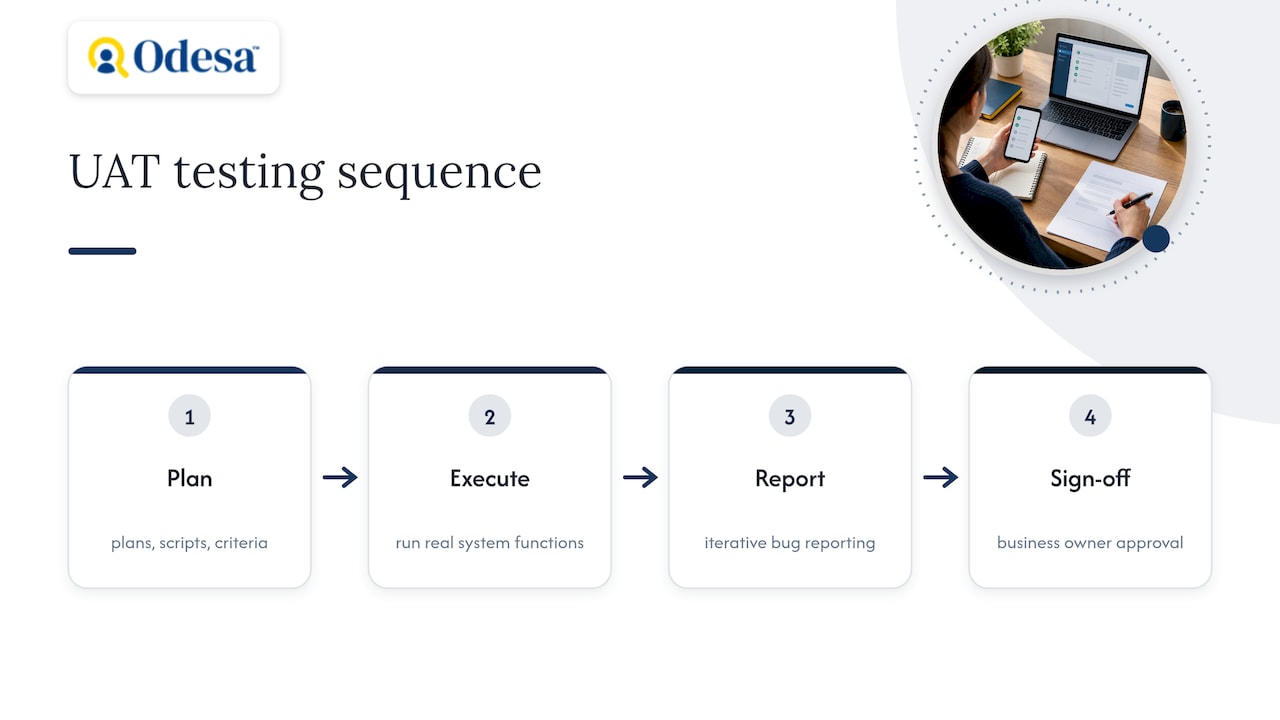
UAT is the business-facing validation phase that determines whether real users can accept the system as fit for their work, not just free of defects. NIST describes a robust UAT process as one that includes planning, execution against real system functions, iterative bug reporting, and a formal sign-off step at the end.
The people who run UAT matter as much as the process. NIST guidance recommends selecting power users for each functional area rather than pulling from a broad, untrained user base, because power users understand the business context well enough to judge whether a feature actually solves the problem, and they move through scripted scenarios faster than casual users would. ISTQB similarly treats acceptance testing as a collaboration between product owners, business analysts, and testers rather than a solo QA exercise.
UAT has prerequisites that are easy to underfund: an environment that mirrors production closely enough that findings transfer, realistic test data, scripted business scenarios tied to real workflows, and acceptance criteria that are specific enough to be judged objectively rather than by gut feeling. Without those, sign-off decisions become arguments instead of evaluations.
The output of UAT is a formal acceptance report and a go or no-go decision, usually tied to a signature or documented approval from the business owner responsible for that function. That sign-off is what makes UAT different from another round of QA: it carries organizational weight, not just a passing test result.
Where UAT and QA actually diverge
The differences become concrete once you map them to specific project decisions rather than abstract definitions.
Objective and examples. QA verifies logic: a unit test confirms a tax calculation returns the correct value for a given input. UAT validates fit: a power user confirms that the tax calculation matches how the finance team actually invoices clients, including exceptions the specification never mentioned.
Lifecycle placement. QA activity starts with the first line of code and continues through system testing. UAT is scheduled as a distinct phase afterward, which means it needs its own line item in the project timeline, not an assumption that it will happen “if there’s time.”
Defect ownership. A defect QA finds during regression testing goes straight back to the engineer who wrote the code, usually with a same-sprint fix expectation. A defect found in UAT often requires triage first, because it might be a genuine bug, a missed requirement, or a misunderstanding about how the feature was supposed to work. That triage step is why UAT defect queues move slower than QA defect queues, and project managers should budget for it rather than treat every UAT finding as an emergency.
What to automate versus what to run manually. Automate anything repetitive and rules-based: regression suites, data validation checks, performance thresholds. UConn’s engineering team describes this as the difference between “checking,” which is algorithmic and scriptable, and “testing,” which requires judgment about context, making UAT a poor candidate for heavy automation.
- QA tools: CI pipelines, automated test runners, static analysis scanners.
- UAT tools: scripted scenario documents, sign-off templates, defect logs shared with business stakeholders.
Pro Tip: Give every acceptance criterion a traceable link back to the original requirement; it turns UAT sign-off disputes into a five-minute lookup instead of a meeting.
When to run formal UAT vs lean on QA
Not every release needs a full UAT cycle, but skipping it on the wrong release is expensive.
- Run formal UAT when the release touches regulated processes, produces a customer-facing deliverable, or carries high business risk if it fails after launch.
- Lean on QA automation when the change is internal, low-risk, and already covered by a strong regression suite that has caught similar issues before.
- Size UAT to the release. A minor patch might need a thirty-minute walkthrough with one power user; a major release touching core workflows needs scripted scenarios across every affected business function.
- Use lightweight acceptance for incremental changes: a quick confirmation from one stakeholder rather than a full sign-off document.
- Use formal acceptance plans for anything a customer or regulator will eventually ask you to prove was tested, since NIST’s acceptance testing guidance ties formal acceptance criteria to traceability requirements that matter later.
How QA and UAT hand off without stalling the release
The handoff from QA to UAT works best when it is treated as a package, not a verbal “it’s ready.”
Deliver a regression baseline showing what already passed, a stable environment URL, realistic test data, and a known-issues list so power users aren’t rediscovering bugs the team already logged. Assign a single owner to triage UAT findings daily rather than letting them pile up, and classify each one quickly: genuine defect, missed requirement, or training gap. Keep acceptance criteria traceable to specific test cases so a disputed sign-off can be resolved by pointing at the original requirement instead of relitigating the feature.
The most common operational mistake is treating UAT as a second QA pass. When business users spend their session reporting UI glitches instead of judging business fit, the release schedule absorbs the delay twice: once for QA’s rework, once for UAT’s rerun.
Checklists and a sample acceptance criteria table
A short checklist for each phase keeps both teams accountable without needing a full playbook.
QA checklist:
- Gate merges on passing CI, not manual approval.
- Track flaky tests separately and fix or quarantine them within a set cadence.
- Assign clear ownership for regression suite maintenance.
UAT checklist:
- Write acceptance criteria that are measurable, not descriptive.
- Select power users per function rather than a general sample.
- Confirm the UAT environment matches production configuration.
- Use a sign-off template that names the approver and the date.
Cross-team practice works best when both sides agree to a demo-first acceptance approach: QA demonstrates the stable build before UAT begins, and both teams agree on a triage service-level target, commonly 24 to 48 hours for an initial classification. Our bug triage process sets out a 15-minute routine for this.
Bringing in outside QA capacity without losing control
Some teams reach a point where internal QA bandwidth cannot keep pace with release frequency, and that is usually when staff augmentation or a dedicated Human QA engagement makes sense rather than stretching an existing team thinner. A short, scoped Human Release Check fits a single release that needs an outside set of eyes before go-live, while an ongoing Human QA engagement fits teams that need continuous coverage without hiring a full-time QA headcount.
When evaluating outside QA support, ask what engagement models are available, how quickly engineers can be matched to your stack, and what retention track record the partner can point to in custom software development services. Ask for specifics on how staff-augmented QA engineers integrate with an existing regression suite rather than starting from scratch, since a mismatched process costs more time than it saves.
The one habit that prevents most UAT surprises
A strong recommendation is to run a power-user rehearsal with production-like data before formal UAT begins, not during it. Most UAT failures trace back to test data that was too clean or too synthetic to reveal the edge cases real business processes hit daily.
A rehearsal session, even a short one, surfaces those gaps while there is still time to fix them without blowing the release date. It costs a fraction of what a failed formal sign-off costs in rescheduling and stakeholder confidence.
How Odesa helps teams run tighter QA and UAT cycles
Some QA and engineering services are designed around the handoff problem this article describes: teams that need either stronger technical verification or more reliable business validation, without hiring a full department to get there. For a single release that needs an outside check before go-live, our Human Release Check gives you a scoped, one-time review. For teams releasing continuously, Ongoing Human QA keeps that coverage running month to month.
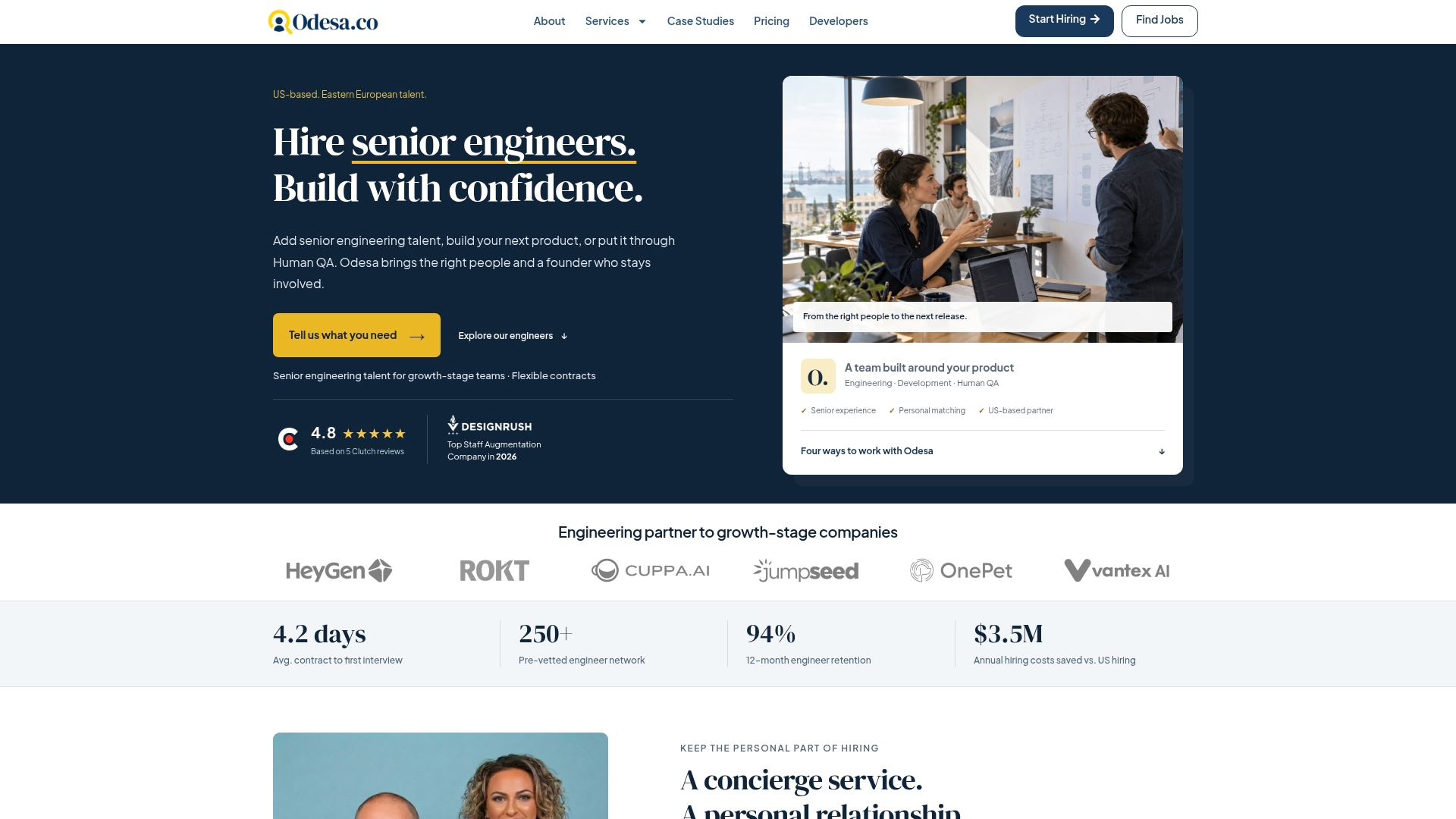
When the gap is technical rather than process-related, our staff augmentation service places senior QA and test automation engineers directly into your existing workflow, matched personally rather than pulled from a generic bench. If you are deciding between hiring a QA specialist directly or augmenting your current team, our guide on staff augmentation versus recruitment walks through which model fits which situation.
Ready to see how a senior QA engineer could fit your next release cycle? Hire a QA or test automation engineer and get matched within days.
FAQ
What is the difference between user acceptance testing and business acceptance testing?
User acceptance testing focuses on whether end users can complete their tasks with the system, while business acceptance testing focuses on whether the system meets broader organizational and contractual requirements. ISTQB’s acceptance testing syllabus covers both as related but distinct acceptance types, alongside contractual and regulatory acceptance testing.
What are the key differences between software testing and quality assurance testing?
Testing is the act of executing a system to find defects, while quality assurance is the broader set of activities designed to build confidence that quality requirements will be met throughout development. ASTQB frames this as QA covering the whole development process, with testing as one of the techniques QA relies on.
What are the 7 pillars of QA?
There is no single, universally cited framework in standards bodies like ISTQB or ASTQB; definitions vary by organization and training provider. A common version groups QA around planning, requirements review, test design, test execution, defect management, automation, and continuous improvement, but readers should confirm which framework a specific course or employer references.
Is QA testing a hard job?
QA testing demands attention to detail, familiarity with multiple test levels and tools, and the judgment to tell a genuine defect from an edge case, which makes it a skill-intensive role rather than a simple one. The difficulty varies by system complexity and how much automation support a team has in place.
Sources
- ASTQB: What is testing?
- NIST: An overview of acceptance testing of computer software
- ISTQB: Certified Tester Acceptance Testing (CT-AcT)
Recommended
Reviewed by Val Narodetsky, founder of Odesa.co.