
Manual testing is software testing performed by a person, without automation scripts, to check that a product behaves as expected for real users. A tester plans what to check, runs test cases, explores the product for problems no script anticipated and reports each defect with steps to reproduce it. Teams rely on it for usability, exploratory and acceptance checks, for features that change too often to automate, and as a final human pass before a release.
TL;DR:
- Manual testing covers the checks that need human judgment: usability, exploratory sessions, accessibility, visual issues and new features that are still changing.
- Automation is better for stable, repetitive regression checks; most teams combine the two.
- A manual testing cycle runs from planning and test design through execution, defect reporting, retesting and closure.
- Test design techniques such as equivalence partitioning and boundary-value analysis focus effort on the inputs most likely to fail.
- You can staff manual testing with an in-house tester, a contractor or a QA service; a release check before launch is the smallest useful scope.
Table of Contents
- What manual testing covers and why teams still use it
- Manual vs automated testing
- Advantages and limitations of manual testing
- Core testing approaches and test-design techniques
- The stages of manual testing
- Common manual test types and practical examples
- Tools, artifacts, and checklists manual testers use
- How to staff manual testing
- When to pay for manual testing before a release
- FAQ
- Sources
What manual testing covers and why teams still use it
A manual tester’s day typically includes running test cases against a build, probing features that have no documented steps yet, and writing up what broke. The work also includes requirement reviews, where a tester’s questions often catch ambiguity before any code is written.
Automation is excellent at repeating the same check thousands of times. It struggles with judgment calls: does this button feel confusing, does this error message help a confused user, does this workflow make sense for someone who has never seen the product. Those questions need a person.
- Executing planned test cases and recording pass or fail results against expected behavior.
- Running exploratory sessions to surface issues no one thought to write a test case for.
- Documenting defects with enough detail that a developer can reproduce them on the first try.
- Reviewing requirements and designs early enough to prevent costly misunderstandings.
Automate the stable, repetitive, high-volume checks. Keep people on the parts that require interpretation.
Manual vs automated testing
Manual and automated testing answer different questions, so the useful decision is which checks go where. The table compares the two on the points that usually decide it.
| Factor | Manual testing | Automated testing |
|---|---|---|
| Who runs it | A person following test cases or an exploratory charter | Scripts in a test framework, often run in CI on every change |
| Best at | Usability, exploratory, visual and accessibility checks; new or changing features | Stable, repetitive regression, API and load checks |
| Setup effort | Low: test cases, test data and an environment | Higher: framework, scripts and ongoing maintenance |
| Cost per run | Roughly the same every run, because it is people’s time | Low once the suite is built |
| Speed per run | Hours or days for a full pass | Minutes for most suites |
| What it finds | Confusing flows, unclear errors, layout problems and real-device issues | Regressions in the behavior the scripts assert |
| Weak spots | Repetition fatigue, human error, hard to scale | Brittle or flaky tests; misses anything it does not assert |
| Good fit | Early products, release checks, acceptance testing support | Mature products with frequent releases |
Most teams start manual, then automate the checks that have stopped changing. If a check runs every release and its expected result never moves, it is a candidate for automation. If it depends on whether something looks or feels right, keep it manual. Teams that want both can add QA automation engineers for the scripted side.
Advantages and limitations of manual testing
Advantages
- Catches usability and design problems that no assertion describes.
- Starts immediately, with no framework to build first.
- Adapts to features that change from sprint to sprint.
- Tests on real devices, browsers and accounts the way customers use them.
Limitations
- Slower than automation for large regression suites.
- Repetitive runs invite fatigue and skipped steps.
- Results depend on the tester’s skill and on how well cases are written.
- Costs grow with every release, because each pass is people’s time.
Core testing approaches and test-design techniques
Testers generally work from one of three vantage points, as laid out in the ISTQB test techniques overview. Black-box testing checks behavior without looking at the code, which suits most functional and usability work. White-box testing examines internal logic and paths, useful when a tester has code access and needs to verify branches or conditions. Gray-box testing blends both, common when a tester knows the data model or API contract but not the full implementation.
Within those approaches, a handful of design techniques do most of the heavy lifting:
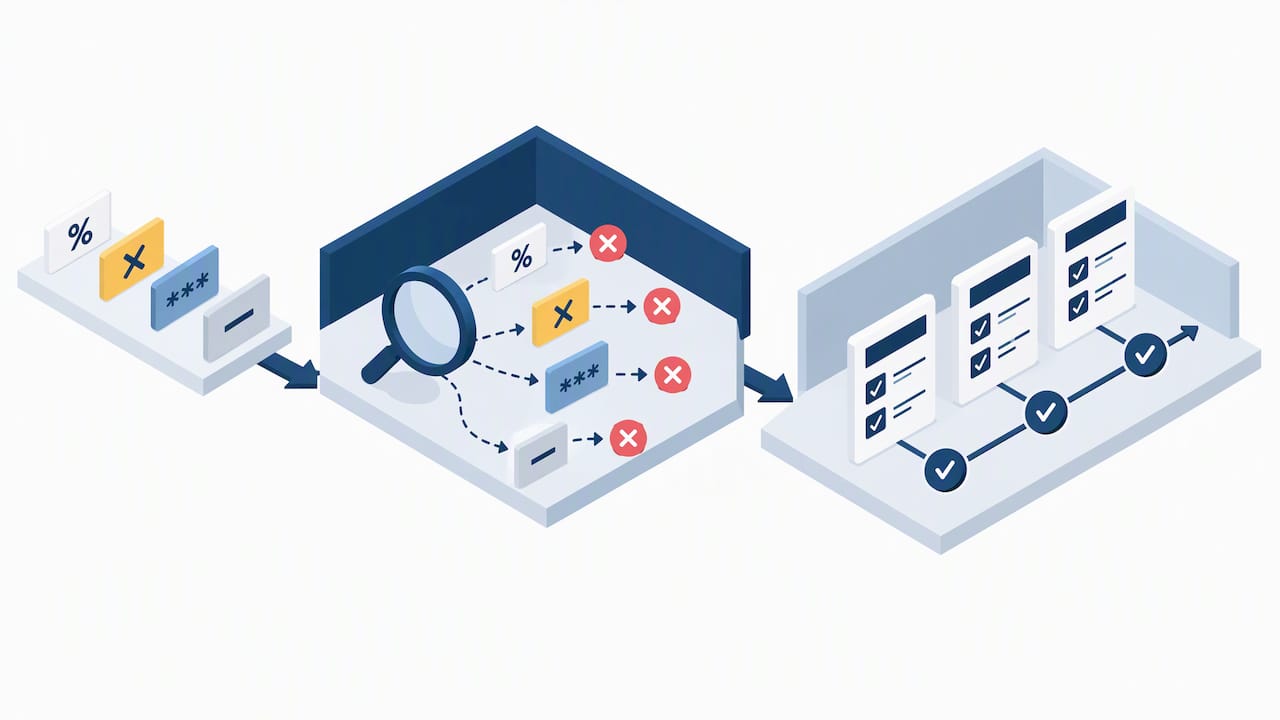
- Equivalence partitioning groups inputs into classes that should behave the same way, so you test one representative from each group instead of every possible value.
- Boundary-value analysis targets the edges of those groups, since bugs cluster at minimums, maximums, and the values just outside them.
- Decision tables map combinations of conditions to expected outcomes, which keeps complex business rules organized.
- State-transition testing checks that a system moves correctly between defined states, like an order going from pending to shipped.
- Use-case testing walks through realistic end-to-end scenarios the way an actual user would experience them.
Exploratory testing, session charters, and pair-testing round out the toolkit for cases where scripted steps would miss too much.
Pro Tip: Run a short exploratory session with a single mission (“find ways to break checkout with invalid promo codes”) before writing a single scripted test case.
The stages of manual testing, from planning to regression
Most teams describe the software testing life cycle in six or seven stages: requirement analysis, test planning, test case design, test environment setup, test execution, defect reporting and retesting, and test closure. Manual testing follows the same sequence, whether the project is a small app or a large platform. The seven steps below map to those stages.
- Scope and plan. Identify the highest-risk areas first: payment flows, authentication, and anything touching user data usually outrank cosmetic features. Define entry criteria (what needs to be ready before testing starts) and exit criteria (what “done” looks like).
- Design and prioritize test cases. Map each case back to a specific requirement so coverage gaps are visible at a glance. Rank cases by risk and likely usage frequency, not by how easy they are to write.
- Prepare test data and environments. Set up accounts, sample records, and a stable environment that mirrors production closely enough that results mean something.
- Execute tests. Run the planned cases, note actual versus expected results, and branch into exploratory testing when something looks off.
- Report defects clearly. A reproducible bug report needs steps, expected behavior, actual behavior, environment details, and a screenshot or log when relevant, following the structure ISTQB recommends for defect documentation.
- Retest and run regression checks. Confirm the fix works, then re-run related cases to make sure nothing else broke.
- Close the cycle and maintain traceability. Summarize what was tested, what failed and what risk remains, and keep test cases linked to requirements and defects linked to test cases, so handoffs between testers, developers, and product owners don’t lose context.
Separating analysis (what to test), design (how to test it), and implementation (the actual test assets and environment) keeps this process from collapsing into guesswork, a distinction ISTQB draws specifically to prevent beginners from writing steps before identifying the real risks.
Common manual test types and practical examples
Several test types are almost always run by hand, even on teams with heavy automation coverage. User acceptance testing is a separate step owned by the business; see UAT vs QA for how the two differ.
- Functional testing checks a specific flow, like adding an item to a cart, applying a discount, and confirming the final price updates correctly, including edge cases like an expired coupon code.
- Usability testing looks at whether a new user can complete a task without confusion: can they find the settings menu, does the form give clear error messages, is the navigation predictable.
- Accessibility checks include tabbing through a page with only a keyboard, checking color contrast, and confirming screen readers announce form labels correctly.
- Exploratory testing runs as a timeboxed session built around a charter, such as “spend 30 minutes trying to break file upload,” producing notes, screenshots, and logged defects as output.
- Smoke testing confirms the build didn’t break anything critical before deeper testing begins.
- Regression testing re-checks previously working features after a change, often the last manual gate before release. When a defect turns up, a short bug triage process decides what blocks the release. A software release checklist puts that gate in order with the others.
Tools, artifacts, and checklists manual testers use
Good manual testing produces a trail of artifacts, not just a pass or fail stamp. A complete defect report includes reproduction steps, expected versus actual results, environment details, severity, and an attachment like a screenshot or screen recording.
- Test management tools track test cases, link them to requirements, and record execution history over time.
- Bug tracking systems centralize defect reports so developers and testers share one source of truth.
- Simple checklists cover recurring concerns like accessibility basics or payment-flow edge cases without rewriting them each cycle.
- Lightweight tools like spreadsheets, screen recorders, and plain session notes work fine for smaller projects or solo testers.
- Basic awareness of how test results feed into a CI pipeline helps a manual tester work with developers who rely on automated gates, and spot when a failure is a flaky test rather than a real defect.
Pro Tip: Keep a running checklist of past production bugs by category. It takes ten minutes to write and saves hours of repeated exploratory digging later.
How to staff manual testing
QA leads usually choose between three options, and many teams combine them.
- An in-house tester. Best when you release continuously and need someone who knows the product deeply. For budgeting, the US Bureau of Labor Statistics reports a median annual wage of $104,300 for software quality assurance analysts and testers in May 2025, before benefits and hiring costs (BLS).
- A contract or augmented tester. Best when you need extra capacity for a stretch of releases without a permanent hire. Odesa staff augmentation starts at $45/hr, month to month, with engineers who work full US business hours.
- A QA service. Best for a defined scope, such as a release check before launch or a recurring regression pass, with a written report you can hand to developers.
Whichever route you choose, look for the same skills: clear test cases, the design techniques above, basic SQL to check database state, enough HTTP knowledge to read API responses, and bug reports a stranger could reproduce without follow-up questions. An ISTQB Foundation certificate signals shared vocabulary; a sample of real defect reports shows more about how someone works.
When to pay for manual testing before a release
Paying for an outside manual pass makes sense when a release carries risk your team cannot cover in time: a launch, a redesign, a new payment or sign-up flow, or a mobile release that has to work across devices. It also helps when the people who built the feature are the only ones who have tested it.
Odesa’s manual QA testing services come in three scopes:
- Human Release Check, $1,500: a structured manual pass over the journeys that matter before you ship.
- Release Check + Real Users, from $2,500: the release check plus feedback from real users on the same journeys.
- Ongoing Human QA, from $3,500 per month: a defined monthly testing scope with agreed journeys retested every release.
Pair the pass with a software release checklist so the human check sits alongside your automated gates, and keep acceptance sign-off with the business owner (see UAT vs QA). Agencies that need QA capacity under their own brand can use white label development.
FAQ
What does manual testing mean?
Manual testing means a person checks software by hand, running test cases and exploring the product without automation scripts, to confirm it behaves as expected and to report defects. It covers functional checks, usability review and exploratory sessions before release.
What are the 7 stages of testing?
A common version of the software testing life cycle has seven stages: requirement analysis, test planning, test case design, test environment setup, test execution, defect reporting and retesting, and test closure. Some teams merge reporting into execution and count six.
When should you choose manual testing over automation?
Choose manual testing for usability, exploratory, visual and accessibility checks, for features that are still changing, and for a final human pass before release. Automate stable checks that run every release with the same expected result.
Is manual testing still needed if we have automated tests?
Yes, for anything that depends on judgment. Automated tests confirm the behavior they assert; they do not tell you whether a flow is confusing, a message is unclear or a layout breaks on a real device. Most teams keep a manual pass on new features and high-risk journeys.
How much does manual QA testing cost?
It depends on scope and on who does it. An in-house tester costs a salary plus employer costs; BLS reports a $104,300 median wage for QA analysts and testers (May 2025). Odesa’s Human Release Check is $1,500, the real-user version starts at $2,500, and ongoing Human QA starts at $3,500 per month.
Sources
- Software Developers, Quality Assurance Analysts, and Testers: Occupational Outlook Handbook, BLS
- ISTQB Foundation Level FAQ: ASTQB
Recommended
- Hire QA / Test Automation Engineers | From $45/hr
- UAT vs QA: 4 Release Decisions on Owners, Timing, and Signoff
- Bug Triage Process: A 15-Minute Routine With SLO Rules
- Software Release Checklist: 5 Gates, Rollback, and Human Checks
Reviewed by Val Narodetsky, founder of Odesa.co.