
A good bug bash is decided before anyone opens the build. Planning means choosing one build and a fixed time box, writing a small set of exploration charters, preparing test accounts and data, naming a moderator and a triage owner, and agreeing on where bugs get logged. This guide walks through each of those decisions, then the session itself and the follow-up, so a team of any size can run one without wasting an hour of everyone’s time.
TL;DR
- A bug bash is a time-boxed, cross-functional exploratory testing event on a single build. Its job is to surface surprises that scripted tests miss.
- Plan the build, time box, 5 to 12 charters, out-of-scope list, seeded data, access instructions and a single bug tracker before the invite goes out.
- Name a moderator to unblock people and a triage owner to merge duplicates and assign severity during the session.
- Require a standard bug report: title, environment, steps, expected versus actual result, and evidence.
- Publish a summary of findings, blockers and owners within 24 hours, and hold a short retrospective to improve the next one.
Table of Contents
- What a bug bash is and what it should find
- When to hold a bug bash
- Step 1: Pick the build, the time box and the question
- Step 2: Write charters and define scope
- Step 3: Choose participants and roles
- Step 4: Prepare environment, data and access
- Step 5: Run the session
- What a good bug report contains
- Triage during the session, follow up after
- A planning checklist
- Perspective
- When you want experienced testers in the room
- FAQ
- Sources
What a bug bash is and what it should find
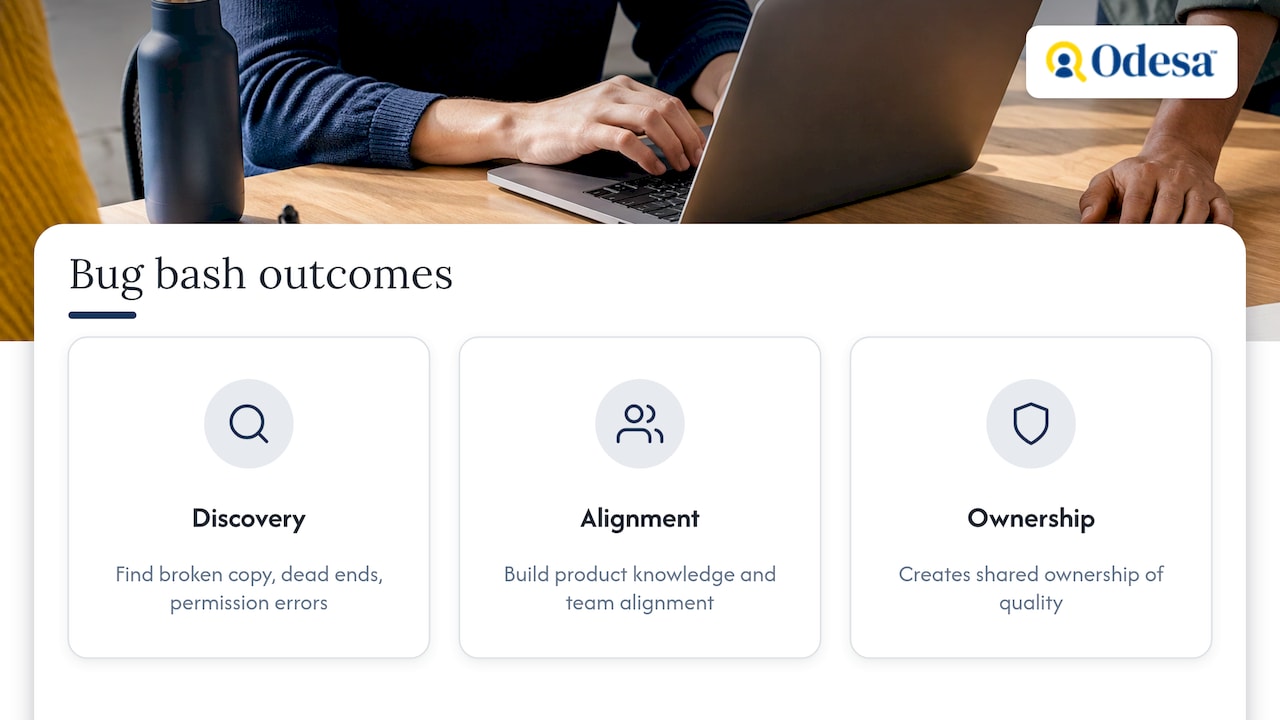
A bug bash is a time-boxed event in which a cross-functional group performs exploratory testing on one build to find bugs that scripted testing missed. The goal is not to prove the build matches a specification. Teams look for surprises: broken copy, dead ends, permission errors and UX issues that a test case never described.
The broader aim, according to Manning’s Bug Bash preview, is to uncover unexpected bugs, questionable assumptions, usability problems and workflow issues early enough to fix them before customers are affected. The same source notes that a bash can build product knowledge and team alignment, and that it creates shared ownership of quality.
It helps to be precise about how this differs from exploratory testing. Per the same Manning chapter, a bug bash is an exploratory testing event with direction: a mission, scenarios, guidance and support. Exploratory testing itself means learning, designing tests and executing them at the same time. If your team is new to the technique, our exploratory testing guide covers charters and techniques in more depth. If you are weighing a bash against a scripted pass, see bug bash vs regression testing.
When to hold a bug bash
Most teams hold a bug bash late in the development cycle, before a feature ships. Some teams also run them on a recurring schedule, such as weekly or monthly, which suits products that release continuously.
Three situations justify the cost of getting a dozen people into one room or call:
- A significant feature is about to ship. New workflows have the most unexamined assumptions.
- A release touches many areas at once. Cross-feature interactions are where scripted tests are thinnest.
- The team has been looking at the same screens for weeks. Fresh eyes find what familiarity hides.
A bash does not replace your release gates. Treat it as one of them. Our software release checklist shows where a human exploratory pass sits alongside automated checks and rollback planning.
Step 1: Pick the build, the time box and the question
Start with one build and one question. The question might be “can a new customer complete onboarding without help?” or “does the new billing flow hold up for every role?” A vague goal produces vague findings.
Freeze the build for the session. Testing a moving target can invalidate reproduction steps and bug findings, because a bug reported against one version may vanish or change in the next. If a hotfix must land, tell everyone which build number they are testing.
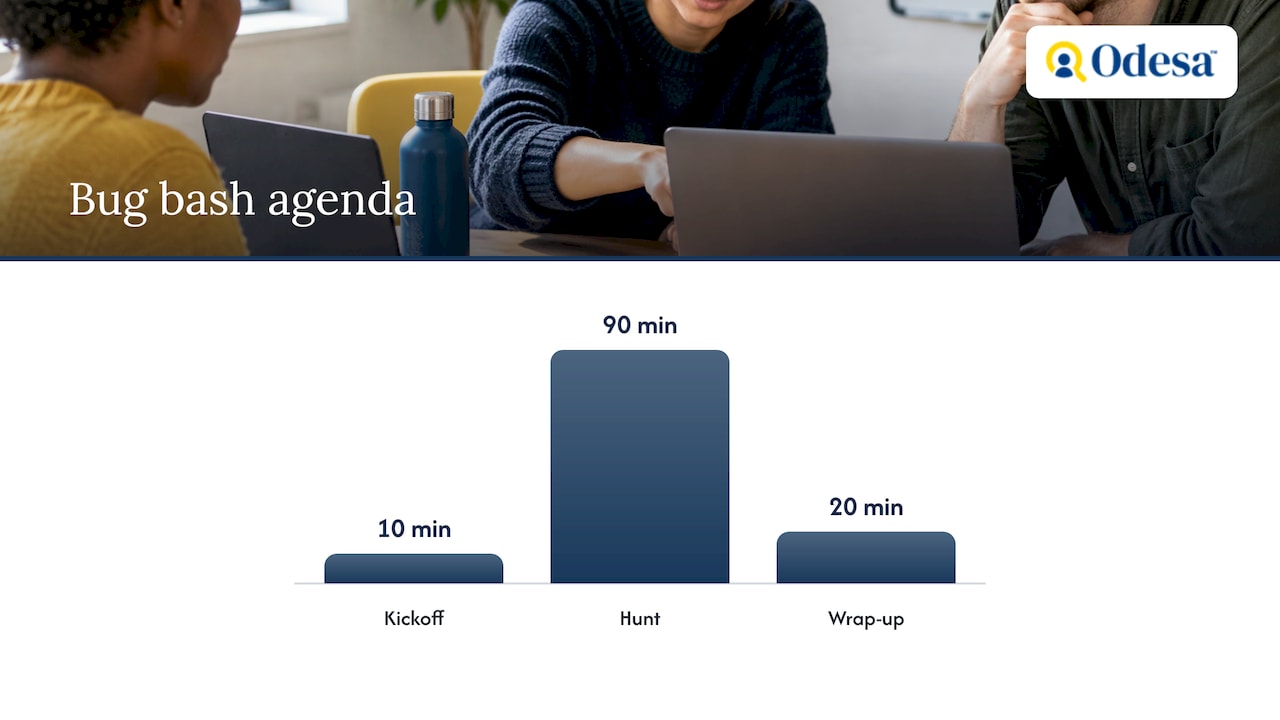
The session itself usually lasts 60 to 90 minutes. Add 10 minutes for kickoff and 15 to 20 for wrap-up, and you have a two-hour calendar block that people can realistically protect.
Step 2: Write charters and define scope
A charter is an area or question to explore, not a step-by-step test case. Effective planning involves defining 5 to 12 charters, plus a list of what is out of scope. Examples:
- Explore account creation and invitation flows using each user role.
- Explore the checkout flow with interrupted sessions, back-button use and expired cards.
- Explore the new dashboard with large, empty and malformed data sets.
- Explore notifications and emails triggered by the new feature.
Fuzzy scope is a critical failure mode. Write down what is out of scope, such as performance benchmarks or accessibility deep-dives, so testers do not spend the session on areas the team has already decided to handle separately.
One trade-off to consider: allowing slightly more scope than fits in the time available forces testers to prioritize during the event. Keep the list long enough to force choices, but not so long that nobody feels they covered anything.
If the feature has written acceptance criteria, use them to seed charters, then ask testers to go beyond them. Our guide on writing acceptance criteria that teams can test helps make the baseline clear.
Step 3: Choose participants and roles
Include people from several disciplines. Engineering, design, support, product and QA each bring different experiences to the testing process. Participants from outside the core team, such as support, sales or marketing, also benefit from the camaraderie a successful bash creates. The Ministry of Testing points out that mixing disciplines can lead people to explore feature interactions that nobody had thought to test.
Leadership participation matters. When leaders and key developers actively contribute, it signals that the event is important and makes it harder for people to find excuses to skip it.
Assign these roles before the invite goes out:
| Role | Responsibility |
|---|---|
| Organizer | Owns the plan, charters, build and invitations |
| Moderator | Runs the kickoff, unblocks access problems, keeps the room off feature debates |
| Triage owner | Merges duplicates, assigns severity, flags release blockers during the session |
| Developers on call | Answer “is this expected?” questions quickly |
| Testers | Explore charters and file reports |
In small teams one person can hold two roles, but the moderator and triage owner are best kept separate, because both jobs get busy at the same time.
Step 4: Prepare environment, data and access
Most wasted bash time is lost to setup. Before the session, prepare seeded data, access, known limitations and reset instructions. In practice that means:
- A staging environment on the frozen build, confirmed working the day before.
- Test accounts for every role, with realistic data: long names, empty states, large lists.
- Written login instructions and a way to reset an account that testers have broken.
- A short list of known issues, so nobody files what the team already knows.
- One centralized bug tracker with a template, so reports arrive in the same shape.
Do a dry run with one person from outside the project. If they cannot log in and reach the first charter in five minutes, fix that before inviting everyone.
Step 5: Run the session
A tight agenda keeps energy up. A workable two-hour format:
| Time | Activity |
|---|---|
| 0:00 to 0:10 | Kickoff: build, known issues, out-of-scope items, demo of the happy path |
| 0:10 to 1:40 | Hunt: testers explore charters and file reports; triage runs alongside |
| 1:40 to 2:00 | Wrap-up: top findings, blockers, next steps |
Keep the kickoff to about 10 minutes, covering the build, known issues, out-of-scope items and a happy-path demo to orient people. Then review the plan, pair attendees and assign charters. According to the Ministry of Testing guide, participants can choose a charter, create their own or simply explore, as long as they know how to report what they find and where to ask questions.
During the hunt, the moderator unblocks access issues and keeps the room from derailing into debates about what the feature should do. Design opinions are worth capturing, but in a separate list, not the bug tracker.
If you want more energy, keep score in real time, form rival teams and offer small prizes, as Scott Berkun suggests. Score on confirmed, reproducible findings, not raw counts, or you will get a flood of duplicates and trivia.
What a good bug report contains
Engineers fix what they can reproduce. The Apache Infrastructure guide to bug reports lists what a useful report needs: a clear title, relevant environment details such as operating system and browser, steps to reproduce, what you expected and what happened, and relevant screenshots, logs or error messages. Recorded clips and screenshots count as evidence too.
Put that into a template testers can paste:
- Title: the symptom, not the guess at the cause.
- Build and environment: build number, browser or device, role used.
- Steps to reproduce: numbered, starting from a known state.
- Expected result.
- Actual result.
- Evidence: screenshot, clip, console or error text.
A report that lacks steps is a question, not a bug. The triage owner should send it back during the session while the tester still remembers what they did.
Triage during the session, follow up after
Triage should happen during the bash. The triage owner merges duplicates, assigns severity and flags release blockers while testers are still available to answer questions. Real-time triage, as BugBug’s Dominik Szahidewicz argues, is what turns findings into actionable work instead of an unmanageable pile.
A simple severity scale is enough:
| Severity | Meaning | Typical action |
|---|---|---|
| Blocker | Data loss, security or core flow broken | Fix before release |
| High | Major feature impaired, workaround is hard | Fix in current cycle |
| Medium | Feature works but is confusing or flawed | Schedule |
| Low | Cosmetic or minor copy issues | Backlog |
For a deeper approach to turning severity into response times, see our guide to bug triage in 15 minutes with SLO rules.
Within 24 hours, publish a summary of findings, blockers and owners. Set realistic expectations about when issues will be addressed: the Qase team notes that planning must leave time after the event to review, group and prioritize findings. Then hold a brief retrospective. Look at patterns in the data and discuss what worked and what did not, so the next bash starts from a better plan.
The summary is the part testers care about most. If people see their reports lead to fixes, they come back. If the findings vanish into a backlog, participation drops.
A planning checklist
Use this the week before:
- Build selected and frozen; build number shared.
- Release question and time box written down.
- 5 to 12 charters drafted; out-of-scope list written.
- Participants invited from at least three disciplines; a leader confirmed to attend.
- Moderator and triage owner named.
- Staging environment, role accounts, seeded data and reset instructions verified in a dry run.
- Bug tracker project and report template ready.
- Known issues list published.
- Summary date set for within 24 hours.
Perspective
We run into the same pattern with growth-stage teams: the engineers are strong and the test suite is reasonable, yet the first people to find the awkward bug are customers. A bug bash is an inexpensive way to change that, but only when someone has planned it with the discipline of a release.
The hard part is rarely the testing. It is the preparation and the triage: who owns the build, who decides severity, who turns 40 reports into six fixes. Teams that are stretched thin often skip those steps, and the bash turns into a noisy hour with no outcome.
That is where we place experienced people. Our senior engineers and manual QA specialists can design charters, moderate the session and triage in the room, so your own developers stay focused on fixing. We believe a bash works best as a repeatable part of your release process, not a one-off scramble.
Editorial Team
When you want experienced testers in the room
A bug bash relies on your team’s time and attention. If your engineers are already at capacity, or you want structured human testing before a release without organizing the event yourself, we offer it as a service. Our Human Release Check is $1,500 one-off. The Release Check + Real Users option starts from $2,500 one-off, and Ongoing Human QA starts from $3,500 per month.

If the gap is wider and you need senior engineers or QA engineers embedded in your team, staff augmentation starts from $45 per hour.
FAQ
How long should a bug bash last?
Most run 60 to 90 minutes of active testing, according to Jam’s guide. Add a short kickoff and a wrap-up, so a two-hour calendar block is realistic. Longer sessions tend to lose focus and produce more duplicates.
Who should take part in a bug bash?
Invite people from engineering, design, support, product and QA, and consider sales or marketing too. Different backgrounds lead to different usage patterns, which is the point. Make sure at least one leader participates visibly.
How often should we run one?
The common pattern is once before a significant feature ships. Teams that release continuously sometimes run lighter bashes weekly or monthly. Start with pre-release sessions, then add a recurring one if the findings justify it.
What should a bug report include?
A clear title, environment details such as browser and operating system, steps to reproduce, the expected result, the actual result, and evidence such as screenshots, logs or error messages. The Apache Infrastructure guide lays out the same elements.
What is the difference between a bug bash and exploratory testing?
Exploratory testing is the technique: learning, designing and running tests at the same time. A bug bash is an event that applies it with direction, through a mission, scenarios, guidance and support, as described in Manning’s Bug Bash.
Sources
- What is a bug bash? Definition and process, Everybug
- How to run a bug bash (process and checklist), Everybug
- Chapter 1: What’s a bug bash? Manning
- How to run an awesome bug bash, Jam
- How to use bug bashes to build better products, Qase
- Bug Bash Facilitation Guide, QASkills.sh
- Bug Bash Plan Template, AQAPro
- How to run a bug bash, Scott Berkun
- Benefits of a Bug Bash and How to Run One, Ministry of Testing
- How to Organise a Bug Hunt in Six Easy Steps, TOPdesk Tech Blog
- How to throw a bug bash: A tester’s guide, Ministry of Testing
- Writing a good bug report, Apache Infrastructure
- Bug Bash: How Real Teams Run Them, BugBug
- What is a bug bash? Benefits + Checklist, Embrace
Recommended
- Bug Bash vs Regression Testing: How They Differ and When to Use Each
- Engineering Capacity Planning: 5 Step Plan for Engineering Managers
- Software Release Checklist: 5 Gates, Rollback, and Human Checks
This article may have used AI tools in the writing process. Facts, figures, and recommendations can be wrong or out of date. Do not treat this as professional advice.